As an Amazon Associate, we earn from qualifying purchases. Some links on this site are affiliate links at no extra cost to you. Our recommendations are based on thorough research and editorial judgment.


Shutter Angle/Rule of 180: Getting Natural Motion Blur

To achieve natural motion blur, we should follow the 180-degree shutter rule, which dictates that our shutter speed should be double our frame rate. For instance, when filming at 24 fps, a shutter speed of approximately 1/48 seconds captures fluid motion that mirrors human perception. This technique not only enhances visual clarity but also helps manage light exposure for more dynamic shots. Understanding the balance between shutter speed and frame rate allows us to create enchanting imagery, with more insights available as we explore deeper.
Key Takeaways
- Use a shutter speed that is double your frame rate to achieve natural motion blur, following the 180-degree shutter rule.
- For 24 fps, set your shutter speed to around 1/48 seconds to mimic human motion perception.
- Employ ND filters in bright environments to maintain ideal shutter speed without overexposing your footage.
- Adjust shutter speeds accordingly for higher frame rates to keep motion blur consistent, such as 1/125 seconds at 60 fps.
- Monitor lighting compatibility with your shutter speed to avoid flicker and ensure consistent visual quality.
The Fundamentals of the 180-Degree Shutter Rule

Hey there! So, let’s chat about the 180-degree shutter rule—it’s a key guideline in cinematography that really helps our footage look smooth and natural. The basic idea is that your shutter speed should be set to double your frame rate. For example, if you’re shooting at 24 frames per second (fps), your shutter speed should be around 1/48th of a second. This setup mimics how traditional film cameras work, creating a lovely motion blur that makes fast movements appear more fluid.
Now, imagine you’re filming a lively scene, like a basketball game. If you stick to the 180-degree rule, you’ll capture the players’ dynamic movements without them looking too jerky. On the other hand, if you decide to crank your shutter speed to something like 1/100th of a second, the action might look choppy, which could really take away from the excitement of the game. Proper lighting with bi-color LED lights can complement shutter settings by enhancing visual clarity and color accuracy during motion capture.
How Shutter Speed Affects Motion Blur

Hey! When you’re capturing footage, shutter speed plays a huge role in how motion blur turns out. If you use a longer shutter speed, like 1/48s, it creates that smooth, natural motion blur that looks so realistic—this is all about following the 180-degree shutter rule, where your shutter speed is double your frame rate. For example, if you’re shooting at 24 frames per second (fps), using 1/48s helps mimic how our eyes perceive motion.
On the flip side, if you’re shooting something super fast, like a basketball player sprinting across the court, a quick shutter speed like 1/500s can freeze them in action, making everything crystal clear. This is crucial for those action-packed scenes where you want to see every detail without the blur getting in the way. Just remember, when you crank up your frame rates to over 50 fps, you’ll still need to tweak your shutter speed while sticking to that 180-degree guideline for the best results.
And here’s a nifty tip: if you’re filming with artificial lights, syncing your shutter speed to the flicker rates can save you from unsightly flickering in your footage. For instance, using a shutter speed of 1/50s works well with 50Hz lights, keeping your video smooth and enjoyable for your audience. This way, you can focus on what’s happening on screen without distractions!
Choosing the right lighting setup and adjusting your shutter speed accordingly can significantly enhance the overall video quality and viewer experience.
Recommended Products

World’s lightest1 600mm super-telephoto full frame wide-aperture F4 lens

Telephoto zoom lens that builds on the legacy of the popular EF300mm f/2.8 lens.

Super Telephoto PRO Lens 300-800mm (35mm equivalent) that enables 1000mm (35mm equivalent) hand held shooting through built-in teleconverter
Practical Techniques for Achieving Motion Blur

You know, achieving natural motion blur is super important if you want your footage to look professional. One of the best tips I can share is the 180-degree shutter rule. Basically, this means you should set your shutter speed to be double your frame rate. For instance, if you’re shooting at 24 frames per second (fps), you’d want your shutter speed to be around 1/48 seconds. This helps to capture movement in a way that feels smooth and realistic.
When you’re shooting in bright conditions, using ND filters can be a game changer. They let us keep that ideal shutter speed while controlling how much light gets into the camera, meaning you won’t have to compromise on that lovely motion blur effect. Let’s say you’re shooting action scenes on a sunny day—putting an ND filter on your lens lets you maintain that nice blur without totally overexposing your shots.
Now, if you’re bumping up the frame rate to something like 60fps, you’ll want to use a faster shutter speed—like 1/120 seconds—to avoid too much blur. And don’t forget about artificial lighting! Keeping your shutter speed in sync with your lights, say at 1/50 or 1/60 seconds, helps to keep flicker at bay, which is a common headache in video production.
A good practice is to regularly check your test footage. This not only helps you tweak the motion blur but can also lead to smoother visuals overall. So, next time you’re out shooting, remember these tips, and you’ll be well on your way to capturing beautifully dynamic footage! Using a Zhiyun gimbal stabilizer can also help maintain steady shots that complement your motion blur efforts.
Recommended Products

World’s first 1.0-inch type stacked Exmor RS imaging sensor, Flexible 4K and Full HD recordings (XAVC Long GOP at 100Mbps), HFR 120 fps Super Slow Motion (continuous), Clear Image Zoom (24x for HD, 18x for 4K)

Fine Detail Performance: 16 megapixel micro four thirds sensor with no low pass filter resulting in a near 10 percent boost in fine detail resolving power over existing 16 megapixel micro four thirds sensors; Color temperature setting 2500 to 10000K in 100K
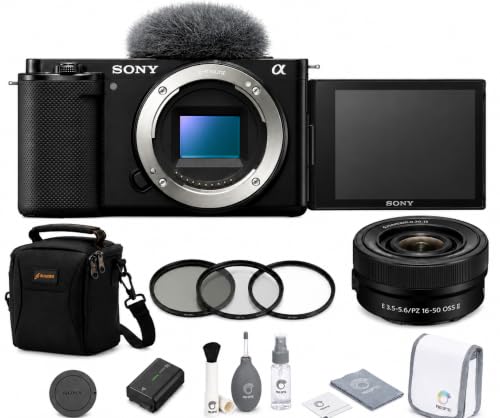
INCLUDED – Sony ZV-E10 Mirrorless Camera Body (Black) | Sony E PZ 16-50mm f/3.5-5.6 OSS II Lens | NP-FW50 Rechargeable Battery | Body Cap | AC Adapter | USB-C Cable | Shoulder Strap | Microphone Windscreen and Adapter | Multi-Device Shoulder Bag | Filter Kit (UV/CPL/FLD) | Sony 1-Year Limited Manufacturer Warranty Shoulder Bag
Common Pitfalls in Shutter Applications
Hey there! So, let’s talk about the 180-degree shutter rule in video production—it’s pretty important for getting that natural motion blur we all love. But even seasoned filmmakers can run into some common pitfalls. For instance, if you change your frame rate but forget to adjust your shutter speed, you might end up with footage that looks choppy or just doesn’t flow smoothly. Nobody wants that, right?
Another issue comes up with bright lighting—overexposing your footage can really mess with your motion blur. If you find yourself shooting in bright conditions without a neutral density (ND) filter, your action scenes might look disjointed instead of seamless. Imagine capturing a fast-paced dance sequence only for it to look like everyone’s moving in slow motion because of that harsh shutter speed! The ideal shutter speed for cinematic quality is crucial, so aiming for a balance is key.
Also, keep an eye on your lighting conditions. Shooting with a 1/50 shutter speed under 60Hz lighting can introduce some flicker artifacts—definitely not what you want. It’s a good idea to regularly check your footage on a larger monitor to catch these issues early on. After all, making these adjustments can save you a headache during editing down the line! So, whether you’re adjusting your settings for the right mood or checking for flicker, being mindful of these factors helps ensure your video looks its best. Ready to take a closer look at lighting techniques? Utilizing image stabilization techniques can also play a crucial role in maintaining smooth and professional-looking motion in your footage.
How Frame Rate Affects Your Shutter Angle Choices
Hey there! So, let’s chat about how frame rate and shutter angle play together in video production. Understanding this relationship is super important if you want your visuals to come out just right. Basically, the shutter angle is what determines how long the camera’s sensor is exposed to light for each frame. For example, if you’re shooting at a classic 24 frames per second (fps), you’ll want your shutter speed to be around 1/48 seconds. That gives you this lovely, natural motion blur that feels pleasing to the eye.
Now, if you step it up to 60 fps, you’ll need to adjust your shutter speed to about 1/125 seconds to keep that same easy-going motion blur. Imagine you’re filming a fast-paced sports scene; if you were to use a narrower shutter angle, like 45 degrees, it could create a choppy effect that gives each frame a more intense feel. On the other hand, if you’re shooting a slow, dreamy scene, a wider angle—say 270 degrees—will help the motion appear more fluid and smooth.
Also, keep in mind that if you’re filming under artificial lights, watching out for flicker frequency is crucial. You want to tweak your settings correctly to avoid any annoying flickering in your footage. With all this in mind, remember that the choices you make in shutter angle and frame rate can really shape the mood and feel of your video. Portable devices with flicker-free operation can help maintain consistent image quality in various lighting conditions. Let’s explore how this ties into lighting strategies next!
Recommended Products

10/11 frames per second continuous shooting in FX-format for up to 150 frames

45.7MP stacked CMOS sensor and EXPEED 7 processing engine.

SONY USA AUTHORIZED - Includes Full SONY USA WARRANTY | Introducing the Sony Alpha a7S III - a new milestone in sensitivity, speed and image supremacy.
When to Break the 180-Degree Rule?
You know, when it comes to visual storytelling, breaking the 180-degree rule can actually add a lot of creativity, especially in those fast-paced action scenes. Think about *Saving Private Ryan*—that shaky, urgent vibe you feel? A big part of that comes from using tighter shutter angles, like 45 degrees, which ramps up the tension. If you’re shooting with faster shutter speeds, like 1/1000th of a second, it helps keep everything crisp and clear, so you don’t lose detail in all that movement.
But here’s the thing: lighting can trip you up if you’re not careful. If the shutter speed doesn’t match the artificial lights, you might end up with flickering footage or weird exposure problems. On the flip side, longer shutter speeds can create that dreamy effect you sometimes see, pulling viewers into a certain mood. So, when you decide to break the 180-degree rule, you’re not just messing around—you’re making a choice that can really enhance your storytelling.
Using cameras with a high dynamic range can help capture more detail in both the shadows and highlights, especially when experimenting with shutter speeds.
Next up, let’s talk about some easy tips for how to manage these technical details while staying true to your artistic vision.
Frequently Asked Questions
What Is the 180 Rule for Motion Blur?
The 180 rule for motion blur guides us to set our shutter speed at double the frame rate. This balances camera settings within the exposure triangle, enhancing visual storytelling and achieving that cinematic look in video production.
How to Get Motion Blur With Shutter Angle?
How can we get that cinematic motion blur? By adjusting framerate impact, lens choice, and lighting conditions, while considering subject movement, camera stabilization, and aperture settings—plus, we can refine it with editing techniques for creative effects!
What Are Common Mistakes With the 180 Rule?
We often misstep by ignoring shutter speed and frame rate synergy, neglecting cinematic lighting’s influence, and improperly applying filming techniques like lens choice. Let’s embrace post-production tips for enhancing dynamic range and video effects together.
What Shutter Speed to Get Motion Blur?
We shouldn’t stress about shutter speed settings! For creative filming with motion blur, we typically set it to double the frame rate. Understanding motion enhances storytelling visuals, especially with fast subjects and snowy landscapes.


