As an Amazon Associate, we earn from qualifying purchases. Some links on this site are affiliate links at no extra cost to you. Our recommendations are based on thorough research and editorial judgment.


On-Camera Light Basics: Color Temperature and Flattering Placement

When we discuss on-camera lighting, understanding color temperature is vital for achieving rich visuals. Typically, we should aim for a range between 5000K to 6500K to replicate natural daylight, ensuring skin tones appear vibrant and lifelike. Proper light placement is equally important; positioning key lights at a 30 to 45-degree angle enhances facial features while softening the light reduces harsh shadows. By mastering these elements, we can greatly elevate our production quality and enhance visual storytelling. More insights await as we continue exploring this topic.
Key Takeaways
- The ideal color temperature for on-camera lighting is between 5000K to 6500K, mimicking natural daylight for lifelike skin tones.
- Adjust the camera’s white balance regularly, aiming for 4300K to 5600K to maintain color accuracy across different lighting situations.
- Position the key light at a 30 to 45-degree angle to accentuate facial features and create a flattering look.
- Use soft light sources and diffusers to minimize harsh shadows and enhance overall lighting quality for on-camera subjects.
- Incorporate backlighting techniques to add depth, while ensuring fill light is half as bright as the key light for balance.
Understanding Why Color Temperature Is Key for On-Camera Lighting

Hey there! You know, when it comes to on-camera lighting, color temperature is key to making sure our visuals look great. It really matters! The sweet spot is usually between 5000K to 6500K, which is about the same warmth as natural daylight. This range helps your colors pop, especially skin tones, giving them a more lifelike appearance.
Now, if you don’t pay attention to color temperature, you might end up with some awkward results—like skin looking gray or even a greenish tint. Imagine filming a scene and having your friend’s face look washed out; that’s what an off color temperature can do! To avoid that, make sure to adjust the white balance on your camera to match your lighting. It’s a simple step that can save you a lot of headaches later on.
Also, using LED lights with a neutral color temperature can work wonders. Not only does it create a more professional look, but it also makes color correction during editing much easier. So, next time you’re setting up your lighting, keep that color temperature in check for visuals that really sing! Many filmmakers prefer lights with a high CRI for accurate color reproduction to ensure skin tones and colors are rendered beautifully on camera.
Recommended Products

【Ultra-Efficient LED Technology】130 lm/W high-efficiency LEDs paired with advanced drivers deliver 9360 lumens output.50,000+ hour lifespan achieves 56% energy savings vs fluorescent lighting. Slim 1.97-inch profile fits standard 2x4 grids.

Commercial Grade: With aluminum housing and integrated driver, this 2x4 led flat panel light provide you with long-term and trustworthy performance. Its dustproof design can stand for harsh environments which is perfect for office, warehouse, garage, hospital, classroom and other commercial use
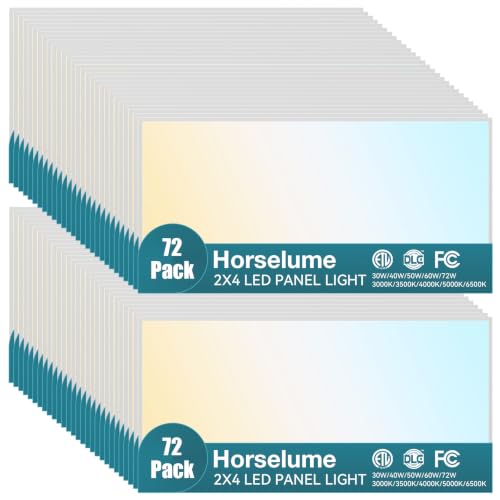
【5 CCT & 5 Wattage Selectable】 – This 2x4 LED flat panel light features 5 color temperature options (3000K/3500K/4000K/5000K/6500K) and 5 adjustable wattage levels (30W to 72W). Customize your space from warm white to daylight, and easily control brightness and energy consumption with a simple switch on the driver box
Exploring Different Color Temperature Ranges for Better Image Quality

Hey, let’s talk about color temperature and how it impacts image quality. Understanding the different color temperature ranges can really change the mood and clarity of your footage, and it’s easier than it sounds! So, color temperature is measured in Kelvin, right? It goes from warm light (around 2000K to 3500K), which is perfect for creating that cozy feel, to neutral light (3500K to 5000K), which mimics natural light really well.
For instance, if you’re shooting a sunset scene, aiming for that warm glow around 3000K can enhance the ambiance. On the other hand, daylight scenes look great with a neutral temperature, like 5600K, because it keeps skin tones looking natural while preserving color accuracy.
When you’re setting up your lighting for a shoot, it’s best to pick one color temperature. Mixing different temperatures can lead to unflattering shadows and highlights, which you definitely want to avoid. So, sticking to a single base helps create a more polished final look without needing a ton of edits later on.
To monitor and ensure accurate color reproduction during shoots, consider using a monitor with 100% Rec.709 color support, which helps maintain consistent and vibrant colors.
Now that you’ve got a feel for how color temperature works, let’s move on to how to apply it to different shooting situations for the best results!
Set Your Camera’s White Balance for Consistency

You know how frustrating it can be when colors look off in your footage, right? To keep our video consistent in color accuracy across different scenes, it’s crucial to set the right white balance. Ideally, you’ll want to aim for somewhere between 4300K and 5600K. This range matches up well with most lighting environments, whether you’re indoors under warm bulbs or outdoors in natural sunlight.
A simple tool that can really help here is a gray card. Using it lets you create a custom white balance that makes skin tones look just right and helps get rid of those pesky color casts. For instance, when you’re shooting in a room with both daylight and warm light bulbs, relying solely on the camera’s automatic white balance might leave you with weird color hues. Instead, take a moment to set your balance manually with the gray card, and you’ll see a big difference.
Remember to keep an eye on your white balance as you switch between different lighting situations. Just a quick adjustment can make sure everything looks cohesive in your final edit. This small step really pays off, giving your footage a polished and professional look. Now, let’s talk about some effective lighting techniques that can enhance your shooting even further!
Additionally, using cameras with a DIGIC DV III image processor can help maintain color accuracy and reduce noise during recording.
Tips for Flattering Light Placement on Subjects
Lighting can truly make or break your video footage, so let’s talk about how to achieve flattering light placement on your subjects. Positioning your key light at a 30 to 45-degree angle from where your subject is sitting can really enhance their features and create some lovely, flattering shadows. Think of it like highlighting someone’s best angles—it adds depth and dimension to their face.
Using soft light sources is key here; you want to avoid those harsh shadows that can make someone look tired or washed out. A simple way to soften the light is by using a diffuser, which helps create a gentle glow on your subject’s face. Plus, don’t forget about backlighting! A little light behind your subject can help them pop from the background, adding that professional touch you’re aiming for.
Now, let’s talk about filling in those shadows. You can achieve a nice balance by setting your fill light to be about half as bright as your key light, which creates a comfortable and friendly look. Trust me, too much direct frontal lighting can wash someone out, so instead, try positioning the lights slightly above and in front of your subject. This setup not only creates warmth but also maintains a natural symmetry that viewers will appreciate. Choosing lights with a high Color Rendering Index (CRI) of 95+ ensures your subject’s colors appear vivid and true to life.
Recommended Products

SUPERIOR BRIGHTNESS CONTROL - Achieve precise lighting with dimming from 0-100%, allowing for perfect illumination in any setting, ensuring professional-grade results every time with this LED panel.

STUDIO QUALITY LIGHT: This Wireless Studio Flash offers 600Ws, 9 steps of power adjustment (1/1 to 1/256) for better light effects, 5600±200K. Can be used in combination with Flashpoint TTL Camera Strobe Light and other TTL Outdoor Flashes
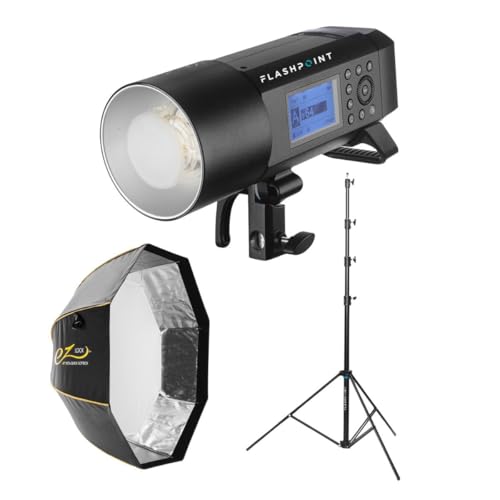
Compact yet Powerful: 400Ws output with a guide number of 236' (72m) at ISO 100, delivering professional-grade performance in a lightweight design.
Quick Tips to Solve Common Lighting Problems
Hey there! You know how lighting can really make or break our video projects? It’s true—it can improve the look of the footage, but it can also create some headaches. For example, have you ever noticed those annoying raccoon eyes on people in videos? To fix that, try softening your lights. You can lower the fixtures or use some diffusion materials, like a white sheet or softbox, to spread the light more evenly. This tends to give everyone a much more flattering appearance.
Now, if you’re dealing with someone wearing glasses and finding that glare is ruining the shot, don’t worry. You can easily adjust the size and direction of your light sources. Simply move the lights around or change their angle, and you’ll often find that those reflections disappear, making your subject shine instead of the glasses!
Another common issue is when a person’s forehead looks too shiny—ever had that happen? To address it, just change the angle of your lighting a bit. And if you need a quick fix, having some blotting paper handy can do the trick for those pesky hot spots.
Lastly, let’s talk about color temperatures. If your footage ends up giving everyone a grayish tone, that usually means the lighting is mixed up. Aim for a consistent white balance—somewhere between 4300 K to 5600 K typically helps bring out those natural skin tones.
These little tweaks can make a big difference in your video quality. Speaking of quality, let’s chat about how to set up your lights for optimal effect next! Using lighting with a high CRI rating ensures accurate and vibrant color reproduction, enhancing the overall look of your footage.
Recommended Products

SUPERIOR COLOR ACCURACY - With a CRI of 96 and TLCI of 97, the F800R ensures your colors are rendered faithfully, providing natural and vibrant results for professional photography and videography.

95+ CRI Chip LEDs paired with 1/2 stop soft diffusion panel

Aputure Amaran F22c is 200W Output 2’x2’ RGBWW Flexible LED Mat
Tools and Gadgets for Better On-Camera Lighting
Hey there! If you want to step up your on-camera lighting, there are some fantastic tools and gadgets you should consider. For instance, portable LED lights like the COLBOR PL8B are awesome because you can adjust the color temperature. This helps you find that perfect balance between warm and cool lights, which is key for flattering skin tones.
Ring lights are another great option. They provide even illumination, which means fewer shadows—super helpful during interviews when you want to keep faces nicely lit. Softboxes and umbrellas are also fantastic; they soften harsh light and give your setup a more polished look. If you’re working on your color accuracy, a simple gray card can work wonders for keeping your white balance consistent.
And don’t forget about reflectors! They can bounce light back onto your subject, creatively shaping shadows and highlights without needing extra lights. It’s all about making sure your subjects shine as best they can. With these tools, you’ll be well on your way to getting that professional look in your videos. Using proper color temperature adjustment combined with high-quality vlogging cameras can significantly enhance your video’s overall appearance. What’s next on your mind? Let’s keep exploring!
Recommended Products

4-TIER WATT 35% ENERGY SAVINGS - This LED linear high bay light four selectable wattages (400W/320W/240W/100W) cover full-scenario heights from 10-60FT with a single product line, eliminating the need for mixed-model purchases. This achieves a 'one product replaces multiple solutions' advantage—precisely matching wattage to installation height reduces energy consumption by over 35% and cuts maintenance time by 40%

Hydro massage comes with 5 adjustable and 6 fixed jets. Includes an intensity dial control, in-line water heater, and ozone sterilization to clean the system and water.

High CRI Chip LEDs paired with 1/2 stop soft diffusion panel
Frequently Asked Questions
What Is the 3 Lighting Rule?
The three-point lighting rule involves a key light for primary illumination, a fill light to soften shadows, and a back light for depth. We balance lighting intensity, direction, and contrast to enhance our visuals effectively.
What Are the 4 C’s of Lighting?
Think of lighting like a painter’s palette—our four C’s guide us: Color for natural skin tones, Contrast for intriguing depth, Coverage for even illumination, and Clarity to showcase every detail in our scenes.
What Is the Least Flattering Lighting Angle?
The least flattering lighting angle’s harsh shadows often come from overhead or below. We should avoid upward lighting that accentuates the under chin and direct sunlight, favoring diffused light or balanced frontal illumination for our best profiles.
Is 4500K or 5700K Color Temperature Better?
We find that both 4500K and 5700K have unique advantages; 4500K enhances skin tones for personal interactions while 5700K offers superior daylight simulation for accuracy. Our lighting preference depends on emotional response and scene mood creation.


