As an Amazon Associate, we earn from qualifying purchases. Some links on this site are affiliate links at no extra cost to you. Our recommendations are based on thorough research and editorial judgment.


Codec Basics: H264 vs H265/HEVC for 4K Recording

When choosing between H.264 and H.265 (HEVC) for 4K recording, it’s essential to take into account their fundamental differences. H.265 compresses video more efficiently, requiring about 15 Mbps compared to H.264’s 32 Mbps, which results in smaller file sizes and enhanced video quality. However, H.265 demands more processing power, potentially leading to playback issues on older devices. Consequently, if you’re prioritizing quality and storage, H.265 may be the better option, while H.264 guarantees broader compatibility. Let’s explore this further.
Key Takeaways
- H.265 offers about 50% more efficiency than H.264, allowing better video quality at lower bitrates, making it ideal for 4K recording.
- While H.264 is widely compatible with most devices, H.265 requires more processing power and may cause playback issues on older hardware.
- H.265 compresses 4K video to approximately 15 Mbps, while H.264 requires about 32 Mbps, saving storage space and bandwidth.
- H.264 excels in scenarios requiring broad compatibility, while H.265 is better for streaming high-quality content under poor connection conditions.
- When choosing a codec, consider your device capabilities and intended use, as H.265 may not perform well on older devices.
4K Recording: Which Codec Should You Choose?
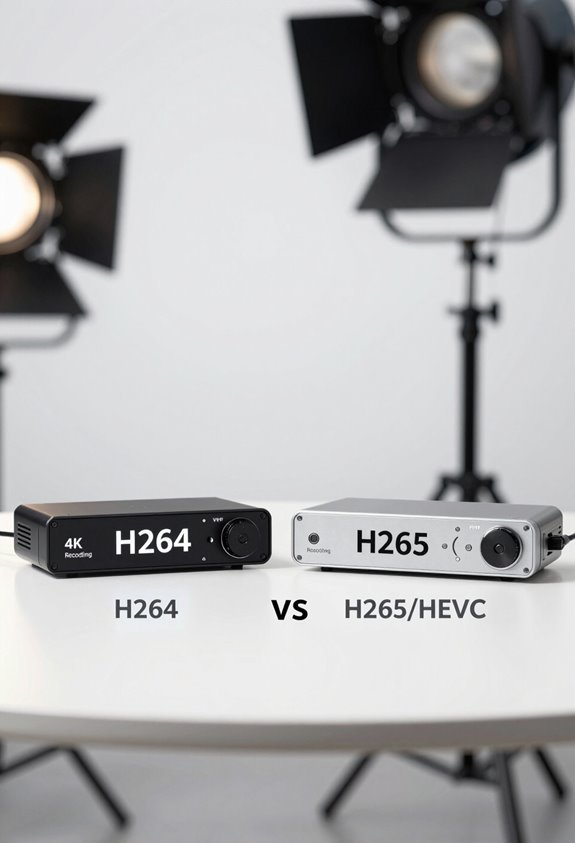
When you’re choosing a codec for 4K recording, it can feel a bit overwhelming. You might find yourself thinking about the pros and cons of H.264 versus H.265, or HEVC as it’s sometimes called. The cool thing about H.265 is that it’s about 50% more efficient, which means you can get better video quality while using smaller file sizes. This is really useful for 4K recording, especially if your internet bandwidth is on the lower side.
But there’s a catch! While H.264 is super compatible with almost all devices you can think of, H.265 requires a bit more processing power. This can lead to playback issues on older hardware – think about those older laptops or smart TVs that just can’t keep up. For example, if you’re streaming, using H.265 can cut down your bandwidth needs to around 15 Mbps, while H.264 might require about 32 Mbps for the same quality.
It’s also important to consider your camcorder’s video resolution options to ensure the codec you choose supports your desired recording quality seamlessly.
H.264 vs. H.265: Key Differences for 4K

Hey! So, when it comes to video compression, H.264 and H.265 are two big players, especially if you’re looking at 4K recording. H.265 is pretty impressive because it can squeeze video quality down to about 15 Mbps, which is roughly half the 32 Mbps that H.264 requires for the same quality. This means you’ll save a lot of space on your device—super handy when you’re working with high-resolution files like 4K videos.
But here’s the catch: H.265 needs a lot more processing power. Imagine trying to run a demanding video game on a low-spec computer; that’s kind of what happens with H.265. For encoding and decoding, it might need up to ten times the resources compared to H.264. So, if you’re using older devices or software, H.264 might be your safer bet since it’s compatible with more tech out there.
Also, H.265 supports cool features like HDR, which can really boost video quality if you’re looking for those vibrant colors and contrast. But if you just want something that works across the board, H.264 could be the way to go. It all comes down to what you prioritize—efficiency or compatibility. What do you think would work better for your needs?
Many professional 4K cameras, like the Sony FDR-AX43, balance capturing high-quality footage with efficient encoding options to optimize storage and performance.
Why H.265 Is Ideal for 4K Streaming

If you’ve noticed how much video quality matters these days, you’re not alone. H.265, also known as HEVC, is really the go-to option for streaming 4K content. What’s great about it is that it compresses video files much more efficiently than its predecessor, H.264, meaning you can enjoy the same high-quality visuals with a smaller file size. For instance, instead of needing a hefty 32 Mbps for streaming, H.265 drops that down to around 15 Mbps without sacrificing clarity.
This means even folks with mediocre internet connections can still get smooth 4K streaming. Plus, the technology behind H.265 includes advanced motion compensation and spatial prediction, which really enhances the viewing experience, allowing you to appreciate sharp details even at higher resolutions like 8K. However, keep in mind that because H.265 is more complex, it requires a bit more processing power, so older devices might struggle to keep up during those intense streaming sessions. Many of the best cameras for capturing 4K content also feature advanced zoom capabilities that help create professional-looking footage.
When to Use H.264 or H.265?
Deciding between H.264 and H.265 really comes down to what you need for your video playback and recording. If you want something that works smoothly across a lot of devices, especially the older ones, H.264 is the way to go. It’s like the reliable old car that gets you where you need to be without any fuss. But if you’re into recording or streaming 4K videos, you’ll want to consider H.265. It’s more efficient, cutting your file sizes in half while still looking fantastic—think of it as packing your suitcase with just the essentials without leaving behind your favorite outfits.
Now, if you’re in a situation that demands quick results, like live sports streaming or video calls, H.264 shines because it doesn’t require a ton of processing power. On the flip side, if you’re streaming on a spotty connection, H.265 can maintain great quality at lower bitrates, making your viewing experience much smoother. Just remember, though, that H.265 does put a bit more strain on your device’s CPU or GPU, so it’s worth checking how powerful your gadget is before diving in.
In addition, using a camera with 4K video capture capability can maximize the benefits of H.265 by providing stunning visual quality.
In the end, it’s all about what fits your situation best. So whether you’re streaming a family video or an epic 4K feature film, understanding these formats can really help you choose cleverly! What do you think would work best for your next video project?
Tips for Setting Up Your Camera and Streaming Software
When you’re setting up your camera and streaming software, it’s super important to get everything tailored just right for your needs. To start, check your camera’s output options—you’re likely looking at H.264 or H.265. H.264 is great for compatibility with most platforms, while H.265 is more efficient if you’re pushing out 4K resolution.
Speaking of streaming, OBS Studio is a solid choice for your software. You can really play around with the bitrate settings here. For H.264, aim for about 32 Mbps to keep things smooth, while for H.265, you might lower that to around 15 Mbps and still get good quality. If you’re using the VM20 camera, going with the MJPEG output is a smart move; it enhances your image quality without adding much delay, which is crucial for a live stream.
Don’t forget to check your hardware too! Streaming with H.265 can be quite demanding, so make sure your setup can handle the extra processing power needed. Additionally, choosing the right tripod with fluid head can help maintain smooth and stable camera movements during your 4K streaming sessions. Now that you’ve got the basics covered, let’s move on to some tips for optimizing your audio setup for an even better streaming experience.
Frequently Asked Questions
Is H265 Better for 4K?
Yes, H.265 offers better compression efficiency and lower storage requirements for 4K. While it demands more hardware support and editing flexibility, we’ll benefit from improved streaming performance and future-proofing our technology choices for high-quality content.
What Is the Best Codec for 4K Video?
For stunning 4K video, we believe H.265 is king, offering impressive compression efficiency and reduced file sizes. Despite its higher hardware demands, it shines in storage, streaming performance, and maintaining video quality across various platforms.
Should I Record in H264 or H265?
We should record in H.265 for better compression techniques and smaller file sizes, enhancing streaming performance. However, we must consider hardware compatibility and encoding time, especially for playback devices that may struggle with H.265.
Is H264 Good for 4K?
H.264 for 4K? Sure, if we love massive file sizes and slower streaming! While its playback compatibility shines, let’s face it: color grading and picture quality suffer without the wonders of modern compression techniques.


