As an Amazon Associate, we earn from qualifying purchases. Some links on this site are affiliate links at no extra cost to you. Our recommendations are based on thorough research and editorial judgment.


Managing Overheating: Environment, Settings, and Recording Habits

To manage camera overheating, we should consider the environment, settings, and recording habits. High-resolution filming in 4K or 8K can strain processors, leading to heat buildup, especially in direct sunlight. Utilizing HEVC (H.265) codec at lower frame rates helps reduce strain. Taking breaks during long shoots allows our cameras to cool. We can also enhance airflow with well-ventilated cages and use external battery packs to decrease internal heat generation. By implementing these strategies, we guarantee peak performance, so let’s explore more tips.
Key Takeaways
- Record at 4K/30fps using the HEVC (H.265) codec to efficiently manage processing loads and reduce heat generation.
- Break filming into shorter clips with pauses to allow the camera to cool down.
- Use shaded filming locations or diffusing materials to prevent direct sunlight exposure and minimize overheating risks.
- Employ well-ventilated camera cages and external battery packs to enhance airflow and lower internal heat production.
- Monitor thermal warnings and activate standby mode during inactive periods to promote cooling.
What’s Causing Your Camera to Overheat?

Hey, have you ever noticed how demanding modern cameras can be? When you’re recording in high resolutions, like 8K or even 4K at 60 frames per second, your camera’s processor works super hard, creating a lot of heat in the process. This heat can really build up, especially if you’re on a long shooting session and skip those little breaks to let it cool down.
Filming in bright sunlight or during a hot day makes things worse too. Have you ever had your camera shut down suddenly? That’s often because it reached a thermal limit. Using complicated formats or codecs adds even more strain on the processor, making it heat up even faster. If you’re working on a tough shoot, it could be really helpful to have some fans or even external recorders to help keep things cool. Keeping your gear in mind can make a big difference in your shooting experience! Many professional camcorders feature built-in ND filters to help control exposure and reduce heat from bright environments.
Essential Practices to Prevent Camera Shutdown

Hey there! If you want to keep your camera running smoothly during those long shooting sessions, there are a few simple practices that can really help prevent thermal shutdown. First off, try recording at 4K/30fps with the HEVC (H.265) codec. It’s a lot more efficient, which eases up the processor and helps manage heat better!
Another tip is to break your filming into shorter clips. Instead of rolling for long stretches, think of it like taking breaks during a workout. This way, you can give your camera a little cooldown time, reducing the risk of overheating. Pay attention to any thermal warnings your camera gives you and don’t hesitate to activate standby mode if you’re not shooting for a while.
Keep an eye on the shooting environment too. For instance, if you’re outside, find a shady spot or use a diffuser to keep the direct sunlight off your gear. And if you haven’t already, consider upgrading to high-speed SD or CFexpress cards; they significantly speed up writing files, which can relieve some stress on your camera during those extended sessions.
Also, using camcorders with advanced image stabilization features can help reduce the need for excessive retakes caused by shaky footage, indirectly minimizing prolonged recording times and heat buildup.
Recommended Products
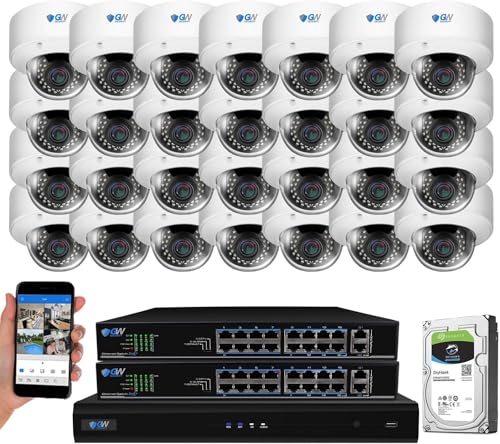
32 Channel Ultra HD 12MP 6K NVR Security Camera System with (32) 5.0 Megapixel 1920P 2.8-12mm Varifocal Manual Zoom POE IP Cameras, built in Microphone for audio recording, outdoor/indoor weatherproof

16 CH NVR with 12 30 FPS Metal Bullet White Cameras

16 Channel Ultra HD 12MP 6K NVR Security Camera System with (16) 5.0 Megapixel 1920P 2.8-12mm Varifocal Manual Zoom POE IP Cameras, built in Microphone for audio recording, outdoor/indoor weatherproof
Camera Settings to Prevent Overheating During Filming

Hey! If you’re looking to avoid overheating during long filming sessions, adjusting your camera settings can really help. For example, recording in 4K at 30 frames per second using the HEVC (H.265) codec is a smart move. This codec is like a lightweight backpack for your camera; it keeps processing loads down, which in turn reduces heat.
Another handy tip is to enable standby mode when you’re not actively shooting. This gives the camera a chance to cool off, which is super important during those extended takes. You could also think about breaking your filming into shorter segments with brief pauses in between. This way, the camera gets those little breaks to chill out!
Using a well-ventilated camera cage can also make a big difference. Pair it with external battery packs to keep internal heat levels down. By mixing in these settings and practices, you’ll help extend your recording time and keep your gear safe from overheating. It’s all about finding that perfect balance, right?
Additionally, utilizing the camera’s Dual Gain Output sensor helps manage heat by optimizing low-light performance, reducing the need for intensive processing.
How to Create a Cooler Shooting Environment
Hey there! If you’re planning a shoot and worried about how to manage heat during your sessions, I’ve got some great tips for you. First off, find some shaded areas; they can drop the temperature significantly compared to shooting in direct sunlight. For instance, even a simple backyard patio can become an excellent spot if you can get some trees or an awning.
Another great trick is using diffusers. They soften harsh sunlight and can really help keep your camera’s internal temperature down. Think of it like putting on a pair of sunglasses—everything just feels cooler! You can also use external reflectors to block direct sunlight hitting your camera body. This simple action can be a game-saver.
If you’re shooting for a long stretch, invest in tiny fans that you can mount on your camera’s cage. They’re like little buddies keeping your gear cool while you’re focused on getting the perfect shot. Lastly, don’t forget to take breaks! It gives your camera’s sensor a chance to cool down, which means you can film longer without worrying about it shutting down due to heat. Using devices with intelligent gain control can also help reduce the risk of overheating by optimizing power consumption during recording.
Recommended Products

Supports 8K/60P Internal RAW or Cinema RAW Light Recording, HDMI 8K RAW Output to Compatible Recorders, 8K HDR Recording (PQ/HLG)
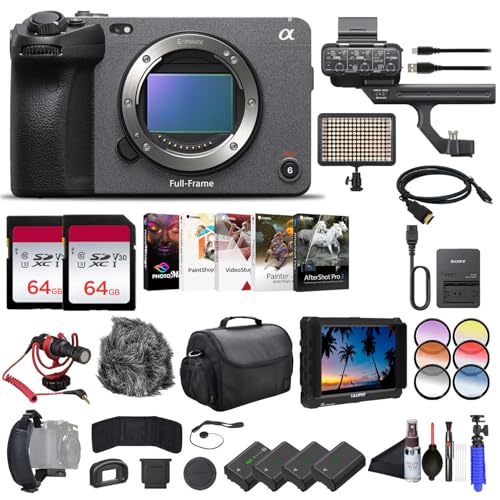
Sony USA Authorized. Bundle Includes: Sony FX3 Full-Frame Cinema Camera, Lilliput A7S 7 inch Full HD Monitor, 2 x 64GB Extreme PRO SDXC Memory Card, 3 x NP-FZ100 Battery, LED Light, Card Reader, Corel Photo Software, Rode VideoMicro Ultracompact Camera-Mount Microphone, Soft Bag, Tripod, Hand Strap, Memory Card Wallet, Cleaning Kit, Lens Cap Keeper, and more

Robust App Ecosystem: TIBURN Smartboard 75" MAX with Windows 11 Pro and Android 14 dual system allows you to seamlessly integrate popular apps you already use in your workflow, such as AutoCAD, Dropbox, Google Suite, Slack, Miro, Microsoft Teams and Figma for increased productivity
Must-Have Accessories to Prevent Camera Overheating
Absolutely! When it comes to camera overheating, having the right accessories can really save the day, especially during those long shoots. For starters, consider a well-ventilated camera cage. It’s designed to improve airflow around your camera, helping to keep heat levels in check. You could even attach a little fan to it; I’ve seen folks do this, and it actively cools the camera body while you’re recording.
Next up, think about upgrading your memory cards to high-speed SD or CFexpress types. These cards allow your camera to write files quickly, which means it doesn’t have to work so hard, reducing heat inside the body. And don’t forget about an external battery pack! By using one of these, you can pull some of the power demand away from your camera, really helping to keep things cool.
Lastly, if you’re shooting outdoors in direct sunlight, using reflectors or diffusers is a smart move. They can shield your camera from those intense rays, which can dramatically cut down on excess heat. So, when you combine all these accessories, you’re setting yourself up for a smoother filming experience, and you won’t have to worry about those annoying overheating warnings. It’s all about creating the best filming environment, right? Using durable USB 3.0 cables to connect your external devices ensures reliable performance without adding extra heat through poor connections.
Recommended Products

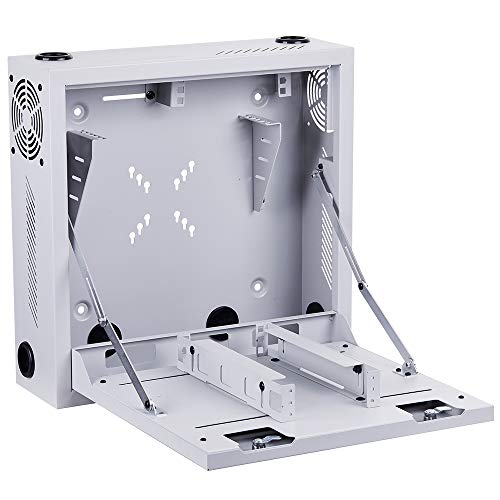
Designed to integrate wall-mounting, easy equipment access, and cable management in IT network applications with limited floor space

【POWERFUL 120W PURE COPPER MOTOR】 Engineered for endurance, our industrial blower fan features a robust pure copper motor that delivers high-speed performance (2600R/Min) and a substantial 196CFM air volume. This high velocity fan is designed to provide strong wind power for effective ventilation and heat dissipation.
How Hydration and Scheduled Breaks Enhance Filming Durations
You know, when we’re busy filming, we often get so caught up in the technical stuff that we forget about something super important: our hydration and rest. Keeping ourselves hydrated is crucial—not only does it help us stay energized, but it also sharpens our thinking and decision-making skills. Imagine being on set and suddenly feeling that fatigue creeping in because you didn’t drink enough water. That can seriously slow down everything and even lead to lost takes!
It’s a good idea to take scheduled breaks every 30 to 60 minutes. These quick pauses are perfect for cooling down and recharging. For instance, stepping away from the camera for just a few minutes to stretch and grab a drink can make a huge difference in how long you can keep shooting productively. Also, sipping on electrolyte-rich drinks during those breaks helps replenish important minerals your body needs.
Establishing a solid hydration routine not only benefits you but creates a more collaborative vibe among the crew. When everyone feels good, the energy on set improves, making it easier to work together. Just think about how much smoother everything runs when everyone is at their best! This brings us nicely to the next point: how organization plays into maintaining that energy on a busy shoot day. Additionally, choosing camcorders with advanced image stabilization reduces physical strain, helping operators film longer with less fatigue.
Quick Fixes for Overheating Issues While Filming
Hey there! So, if you’re filming and your gear starts overheating, it can really throw a wrench in the whole production. One smart way to tackle those overheating issues is to film in 4K at 30fps using the HEVC (H.265) codec. This setup not only gives you great quality but also helps manage the processing load on your camera, which means it won’t get as hot.
Also, think about where you’re shooting. Filming in shaded spots or using diffusion materials can shield your camera from harsh sunlight. For instance, set up beneath a tree or use a simple umbrella to block those direct rays. Don’t forget to give your equipment a break every now and then—this really helps it cool down and prevents those annoying thermal shutdowns.
You can also get a bit creative with cooling solutions. Consider using small fans attached to your camera rig or HDMI recorders to keep things chill during long shoots. Just keep an eye on those thermal warnings. This will really help you maximize your recording time without running into overheating problems. Speaking of managing your gear, let’s chat about keeping your crew comfortable, too!
Using a shutter release cable can also help minimize camera shake, which reduces additional heat buildup from repeated adjustments during long recording sessions.
Recommended Products

[ULTIMATE GAMING POWER] Dominate AAA titles with the Intel Ultra 9 275HX Processor and NVIDIA GeForce RTX 5070 Ti Laptop GPU. This combination delivers extreme frame rates and leverages dedicated AI Tensor Cores to accelerate complex creative workflows. Windows 11 Pro provides enterprise-grade security and advanced management for competitive esports athletes and power users seeking peak stability.

Full-frame 12.1MP Exmor R BSI CMOS sensor captures cinematic UHD 4K video up to 120 fps with excellent low-light performance and over 15 stops of dynamic range.

4K full-frame sensor w/ 15+ stop dynamic range and high sensitivity
Frequently Asked Questions
How to Solve the Problem of Overheating?
To solve overheating issues, we can use various cooling techniques like filming in shaded areas, taking breaks, and upgrading to high-speed cards. These strategies not only help our cameras but improve overall shooting experiences too!
What Are the Management Strategies to Mitigate Heat Stress?
Like a wise tree adapting to the sun, we can mitigate heat stress by using efficient codecs and cooling solutions, filming in shaded spots, and taking breaks—embracing heat adaptation to keep our gear and creativity thriving.
What Are the 5 Stages of Heat Stress?
The five stages of heat stress are heat cramps, heat exhaustion, heat syncope, heatstroke, and heat-related death. We need to recognize these symptoms early to protect ourselves from severe health consequences in high temperatures.
When Working in Hot Environments, What Are Some Actions to Take to Avoid Overheating?
When working in hot environments, we should embrace hydration techniques like sipping electrolyte drinks, seeking shade, and taking cooling breaks. It’s like finding an oasis in a desert—we can beat the heat together!


