As an Amazon Associate, we earn from qualifying purchases. Some links on this site are affiliate links at no extra cost to you. Our recommendations are based on thorough research and editorial judgment.


Fixing Audio Hum and Buzz: Common Causes and Quick Tests

To fix audio hum and buzz, we must first identify their causes. Hum often stems from ground loops, where devices plugged into different outlets create voltage discrepancies, while buzz usually arises from unshielded cables picking up interference. Quick tests include adjusting volume levels, testing different input sources, and disconnecting cables to isolate noise sources. We can also enhance our setup with shielded cables and proper cable management. There’s definitely more to explore regarding effective solutions and best practices.
Key Takeaways
- Identify ground loop hum by ensuring all devices are plugged into the same outlet to eliminate voltage discrepancies.
- Use shielded audio cables to prevent interference and reduce the risk of both hum and buzz in your setup.
- Test different input sources and disconnect cables individually to isolate the source of the noise.
- Regularly inspect cables for wear and maintain distance between audio and power cables to minimize ground loops.
- Consider investing in a power conditioner and modern equipment to enhance noise reduction capabilities.
Understanding Audio Hum and Buzz: Definitions and Context

Hey! Let’s chat about audio hum and buzz—two pesky problems that can mess with our sound systems. Audio hum is that annoying low-frequency noise you often hear around 50 or 60 Hz. It usually happens because of ground loop currents, which is just a fancy way of saying there’s an electrical connection issue between your gear.
On the other hand, buzz sounds a bit higher-pitched and features some harmonic overtones. This is often caused by unshielded audio cables that connect different devices. For instance, if you’re using an old power strip without proper shielding, you might notice some buzzing whenever you turn on certain devices.
It’s really important to know the differences between these noises, especially when you’re troubleshooting sound issues. If you can spot a hum or a buzz, you’ll have a better chance of fixing the problem quickly. And keep in mind, electromagnetic interference can throw a wrench into your grounding setup, which sometimes adds to the chaos of unwanted noise. Using shielded cables is one effective way to reduce such interference and maintain clean audio signals. With this knowledge, you’re already ahead in ensuring your sound system performs at its best. Now, let’s look into some practical ways to eliminate these noises!
Common Causes of Hum in Audio Systems
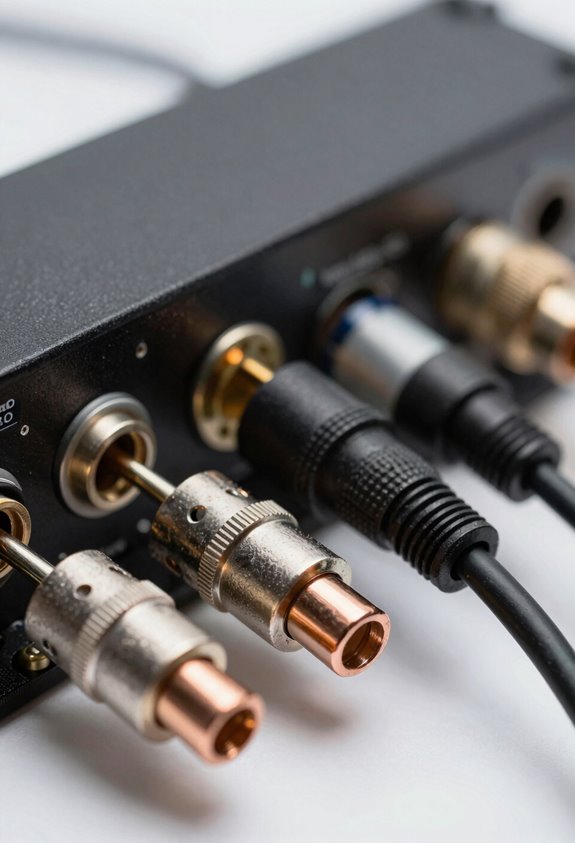
Hey there! Ever notice that annoying hum in your audio system? It’s a pretty common issue, and a lot of times, it all comes down to something called ground loop hum. This happens when you plug multiple devices into different power outlets, and they don’t quite line up in terms of voltage. It’s like trying to tune a guitar while someone’s playing a different song in the background—super distracting!
Another thing to keep an eye on is your wiring, especially those unshielded audio cables. They can pick up interference like a radio picking up random stations. For example, if you’re running a long audio cable, consider investing in a shielded cable to help keep that pesky noise at bay. If you’re still hearing hum after that, a hum eliminator might be worth a shot. It’s a nifty device that can really cut down on that persistent ground loop noise, so you can enjoy clearer sound. Using phantom-powered shotgun mics with proper shielding can also help reduce noise and interference in your recordings.
Identifying Sources of Buzz in Audio Systems

Hey there! If you’re trying to figure out the sources of buzz in your audio system, you’re not alone—it can be a real headache! First off, let’s start with the cables. It’s super important to check if they’re properly shielded. For instance, non-shielded loudspeaker cables are notorious for picking up pesky electromagnetic interference.
Next, grounding issues can often lead to unwanted buzz, especially if your equipment has floating safety grounds. A quick tip: try connecting everything to the same power outlet or strip. This can help eliminate those annoying differences in ground voltage that often cause that buzzing sound.
Don’t forget to visually inspect your audio connections too! Loose cables or poor connections can easily be the culprits behind that hum. Using balanced connections, like XLR or TRS cables, can also really help. They create cleaner signal paths, which means less noise.
Additionally, ensuring your setup uses energy-efficient LED lighting can help reduce electrical interference contributing to audio hum.
Effective Troubleshooting Steps for Audio Noise
You know that annoying audio noise, like a buzzing hum? It can really put a damper on your listening experience. Let’s figure out how to troubleshoot those pesky sounds together. First, try adjusting the volume up and down a bit. This simple step can help you identify if the buzz changes, which might mean it’s coming from a specific device or connection.
Next, experiment with different input sources—like your phone, computer, or a streaming device—to see if the hum sticks around or disappears. If the noise is still there, try disconnecting cables one by one, leaving only the speaker cables and AC plug connected. This is a great way to highlight any external issues that might be causing the noise.
Also, pay attention to the type of noise you’re dealing with. For example, a low hum at 60 Hz could point to ground loop issues, which are pretty common. As a long-term fix, you might want to invest in a power conditioner or an isolation transformer for better protection against noise so your setup stays nice and clean. Using equipment with cardioid polar patterns can also help reduce unwanted background noise. Got it? Great! Now let’s get into some practical tips on setting up your audio equipment for the best sound.
Troubleshooting Audio Noise From Ground Loops
Hey, I get it—audio noise, especially that annoying hum from ground loops, can really ruin your vibe. It’s frustrating, right? Ground loops happen when your audio devices have different paths to ground, causing little voltage differences that create that buzz. To tackle this, start by unplugging each device one at a time and listen closely for any changes in the hum. It’s like a little detective game—you might be surprised at which piece of equipment is the culprit.
Also, be sure all your gear is plugged into the same outlet. This way, they share a common ground, which often helps eliminate that pesky noise. If the humming persists, try a ground lift isolator—it works wonders for cleaning up your audio without messing with the sound quality. And don’t overlook your cables either; opting for well-shielded audio cables can prevent interference, and using surge protectors helps eliminate power-related issues. Using a well-regulated phantom power supply can also reduce noise and improve overall audio clarity in your setup.
How Cables Impact Audio Noise
When it comes to achieving great audio quality, the cables you use are just as important as tackling pesky ground loops and that annoying hum. Basically, unshielded audio cables can let in a lot of unwanted noise because they aren’t very good at blocking interference from things like electrical devices. On the other hand, using balanced connections, like XLR or TRS cables, can really help keep that noise at bay—especially if you’re running longer cables.
Think of it this way: if you want to keep that humming sound from sneaking in, you should pay attention to both your signal ground and how you manage your ground paths. Oh, and keeping your cable lengths short can really make a difference. Longer cables can act like antennas, picking up all kinds of unwanted signals. A good rule of thumb? Try organizing your cables neatly and keep them away from power supplies to minimize those annoying disturbances. Choosing cables with double shielding is crucial to minimize noise interference effectively.
Immediate Solutions for Hiss and Hash
Dealing with hiss and hash noise in audio can be pretty frustrating, right? But don’t worry; there are some straightforward things we can do to clean up that sound. First off, make sure your audio levels are balanced. A good rule of thumb is to set your input and output controls around 75%. This helps optimize clarity and keeps that annoying hiss at bay.
Now, if you’re tackling hash noise, try using transformer-isolated direct inputs. They can really help cut down on interference, leading to much cleaner audio. Also, keep an eye on your gain levels. If some channels are getting overdriven, it can amplify that unwanted noise even more. For instance, if you notice crackling while playing music, lowering the gain might just do the trick.
Another tip is to use high-quality, shielded cables. These can help fend off pesky electromagnetic interference that often causes hash noise. If you’re still having issues, a solid troubleshooting method is to unplug your devices one by one to see if you can pinpoint the problem. This way, you can tackle each source of hiss or hash directly and get your audio back on track.
Using wireless systems with intelligent gain control can also help maintain consistent audio levels and reduce background noise effectively.
Once you’ve tackled those noises, let’s move on to enhancing your overall sound experience!
Best Practices for Cable Management to Prevent Noise
Hey there! Let’s chat about cable management and how it can really enhance your sound quality. You know, keeping your cables organized is super important because a messy setup can lead to noise interference. For example, if you’re using long runs for your audio setup, go with balanced connections like XLR or TRS cables. They really help reduce that pesky noise that unbalanced cables can pick up.
Another tip is to keep your audio cables on the shorter side. When you have extra lengths, don’t coil them tightly! This can actually invite electromagnetic interference (EMI) from nearby power supplies, which is definitely something you want to avoid. Just think about it—if you notice a buzzing sound, that might be the culprit.
Regularly checking your cables for any signs of wear is also a simple way to keep connections strong and noise-free. And remember to keep power cables well away from audio cables; maintaining some distance between them can help prevent ground loops that cause unwanted hum. If you can, invest in high-quality, shielded cables—they can be a bit pricier, but they make a noticeable difference. Using devices with automatic input signal detection can also help maintain clean audio-video signals by reducing interference.
Upgrading Equipment: When to Consider New Gear
Hey there! Let’s chat about upgrading your audio equipment. If you’ve been dealing with that annoying hum or buzz in your sound system, it might be a sign that it’s time to consider new gear. You know, sometimes replacing cables or fixing grounding issues just doesn’t cut it anymore.
Think about it this way: newer devices often come with better noise-reduction features and modern designs. For example, you could swap out an old amplifier for a newer model with a higher signal-to-noise ratio. This can really make a difference in reducing unwanted distortion, which leads to a much clearer listening experience. Plus, investing in quality cables can help too. It’s like giving your audio a fresh set of lungs!
If you’re tired of battling recurring ground loop issues, you might want to check out ground-isolated options. These can drastically cut down on that pesky buzz and really clean up your sound. It’s all about making your setup as enjoyable as possible.
Many newer camcorders also include advanced noise reduction technology to minimize background noise and enhance overall audio clarity.
Alright, now that we’ve tackled the upgrade question, let’s move on to how to care for your equipment to ensure it lasts longer.
Frequently Asked Questions
How Can I Diagnose the Source of a Hum?
To diagnose a hum, we’ll employ hum detection techniques, assess grounding issues, examine cable quality, check impedance mismatch, evaluate electrical interference, and review our system layout and equipment placement, while utilizing proper power strip usage and conducting an environment assessment.
How to Get Rid of Audio Hum?
Imagine our audio as a garden, thriving without weeds. To get rid of hum, we’ll use proper grounding, shielded cables, equipment isolation, and careful mixer settings. Let’s tend to this together, embracing clean sound!
What Causes Hum in Audio Systems?
Hum in audio systems comes from ground loops, electrical interference, unshielded cables, and faulty equipment. Poor connections, inadequate grounding, signal routing, and environmental factors like equipment placement can all contribute to this annoying noise.
Why Is My Audio Making a Weird Buzzing Sound?
Isn’t it frustrating when our audio glitches? Buzzing could stem from audio feedback, faulty cables, or grounding issues. Let’s check mixer settings, speaker placement, and nearby electrical appliances for signal interference and amplitude fluctuations.