As an Amazon Associate, we earn from qualifying purchases. Some links on this site are affiliate links at no extra cost to you. Our recommendations are based on thorough research and editorial judgment.

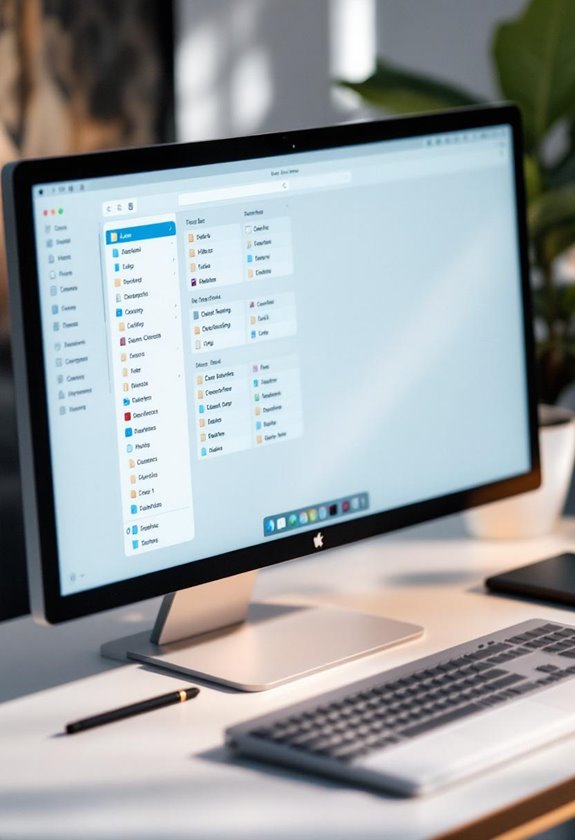
File Management for Creators: Folder Structure That Prevents Chaos

To effectively manage files and prevent chaos, we can establish a clear folder structure that distinguishes between personal and work files, while also categorizing them into project-based folders. Utilizing consistent naming conventions—such as including client names, project titles, and dates—will enhance file retrieval. Additionally, implementing a tagging system for quick access and using kits instead of nested folders streamlines organization. By focusing on these strategies, we can greatly improve our file management system, ensuring a more efficient workflow. More insights await those who continue exploring these methods.
Key Takeaways
- Establish a clear hierarchy with main categories for Personal and Work to avoid confusion and facilitate easy navigation.
- Utilize a consistent naming convention that includes essential details like client name, project title, and date for clarity.
- Organize files into project-based folders and stages to maintain structure and streamline access to relevant materials.
- Implement a tagging system for fast identification and retrieval of files, ensuring tags are regularly reviewed for accuracy.
- Use visual organization tools, like thumbnail previews, to enhance file identification and improve overall workflow efficiency.
How to Optimize File Management for Creative Professionals

Hey there! If you’re a creative professional looking to optimize file management, let me share some tips that can really streamline your workflow. First off, setting up a clear structure is key. Think of it like organizing your digital workspace into two main areas: one for personal stuff and one for work projects. This simple separation makes it super easy to find what you need, whether it’s a client file or a personal piece you’re working on.
Next, let’s talk about file names. Instead of using random titles, try a consistent strategy, like including the client’s name, project details, and even the date. For example, instead of naming a file “Design1,” you might name it “Smith_ProjectProposal_2023-10-12.” This way, when you need to track down a specific file, you can do it in seconds.
Another helpful tip is to create project-based folders within your work category. This allows you to group all related files together, making it easier to see everything at a glance — from initial brainstorming documents to the final deliverable. And don’t forget to regularly archive files you no longer need. This keeps your workspace tidy and cuts down on the time you spend hunting for recent assets.
Lastly, consider using visual previews and tagging. These tools can make finding files even quicker, especially when you have lots of creative assets. By implementing these strategies, you’ll find that not only will you work more efficiently, but your creative flow will improve as well. So, ready to take on your next project? Also, optimizing your workspace with an external monitor can enhance your productivity and provide a more comfortable viewing experience.
Why Traditional Folder Structures Fail Creatives?

You know how traditional folder structures can feel pretty straightforward, right? At first glance, they seem like a great way to keep things organized. But let’s face it, they often let creative professionals down. These systems, which rely on nested folders, can quickly turn into a tangled mess as your team grows. When you’re trying to find that one design file before a deadline, having to sort by just Name or Date Modified isn’t going to cut it. It can turn into an endless search, especially when file names don’t clearly indicate what’s inside.
Consider this: You’ve got a file named “Project_1_v2,” but you also have “Project_1_final,” and another “Project_1_version2.” Good luck remembering which is the most current one! All this confusion can eat up precious hours that you need for your actual creative work. Plus, if everyone on the team has their own way of organizing files, it can create chaos with version control. Imagine your project accidentally using an outdated image just because it was nestled in a cluttered folder.
Basically, these traditional setups just don’t keep up with how fast-paced our creative work can be. If we want to manage our assets efficiently and keep our creative juices flowing, we need to rethink how we organize our files. It’s time to explore some fresh strategies that align with our dynamic workflows. What do you think? For professionals constantly handling numerous digital elements, investing in a multi-compartment organizer can streamline not just physical cables but also mental clutter.
Discover the Benefits of a Visual Organization System

You know, relying just on those old-school folder structures can really slow you down, especially if you’re in a creative field where staying organized is super important. Instead, a visual organization system can work wonders for you. Imagine being able to see clear thumbnail previews of your files—you can quickly find what you need without endless searching. It’s like flipping through a photo album instead of digging through a dusty filing cabinet.
Plus, these visual systems let you drag and drop files easily, making your digital workspace feel more hands-on and organized. For instance, if you often work with design assets, you can simply move your most-used graphics right to the top of your workspace, keeping your favorites at your fingertips. This setup not only keeps everything within reach but also helps prevent those dreaded moments when you lose track of a file.
And here’s another perk: when you’re collaborating with teammates, visual sorting can really help streamline communication. Everyone can see what’s happening at a glance, which speeds up decision-making. So, by using a smart Digital Asset Management system, you’re not only saving time but also boosting your team’s overall productivity. It’s a pretty straightforward shift that can make a big difference in your workflow. What’s next on your mind when it comes to improving your workspace?
Incorporating precision bearings in your hardware choices can ensure smooth and efficient organization without any frustrating delays.
Categorize Your Files Effectively
Hey there! Have you ever thought about how effective file categorization can really turn your creative workflow around? Imagine having a super clear system that separates your personal files from your work projects. By organizing everything into two main categories—like Personal and Work—you instantly create a tidy workspace that boosts your productivity and keeps the chaos at bay.
Now, when it comes to your Work folder, try setting up specific subfolders for each project stage. For example, you could have folders named Briefing, Design, and Backups. This makes it super easy to locate the files you need without sifting through a huge mess. And don’t forget about using a chronological numbering system for those project folders! This way, you can easily track how things are progressing and stay on top of your work.
Oh, and a little tip: regularly archiving outdated files can free up space and keep your storage nice and clean. This means you’ll have quick access to essential documents, which is great for collaboration with your team. Taking these simple steps can make a world of difference in how smoothly your projects run. Speaking of organization, let’s chat about tools that can help with this process! For example, choosing the right ergonomic backpack can keep your creative gear organized and accessible during on-the-go work.
Establish Clear Naming Conventions for Your Assets
You know how frustrating it can be to search for a file and not find it? That’s why establishing clear naming conventions for our assets is crucial! When we use a consistent naming system, it makes file management so much easier. Picture this: if you name your files using a format like [ClientName]_[ProjectName]_[Description]_[Version]_[Date].[ext], you’ll be able to quickly find what you need without any guesswork.
To keep things organized, consider adding elements like the client’s name, the project title, and the date. For instance, if you’re working on a web design project for a client named Acme Corp and it’s version 2.0 from March 2023, your filename could look like this: acmecorp_webdesign_v2_2023-03-01.jpg. Also, keeping your file names under 50 characters not only makes them easy to read but also avoids any issues with software limits.
Another tip? Use lowercase letters and underscores instead of spaces. This helps ensure that your files work smoothly across different platforms without causing any transfer errors. By following these simple steps, you’ll create a smoother workflow that saves you time in the long run! Proper organization also parallels key principles in file management best practices used in other creative tech fields. Now, let’s take it a step further and talk about how a good folder structure can complement these naming conventions.
Set Up a File Tagging System for Quick Access
Hey there! Have you ever felt overwhelmed by the sheer number of files that come with creative projects? A solid file tagging system can really help streamline things. By tagging your files based on the project type, the client, or their current status, you can quickly find what you need without wasting time hunting for it. For example, if you have several photos for different clients, just tagging them with the client’s name makes it a breeze to find the right ones later.
This system not only keeps everything organized, but it also helps you stay focused on your work instead of getting lost in a sea of files. Think of it as a helpful companion to your folder structure—it adapts as your projects change and grow. And don’t forget to review and update your tags regularly; this keeps your system relevant and prevents confusion over time. Ultimately, a thoughtful tagging method can transform how you manage your creative assets, making your workflow much smoother.
Next up, let’s talk about how to actually set up your folder organization to complement this tagging approach! Integrating your files with 4K video resolution ensures that your high-quality footage is easy to locate and manage within your system.
Use Kits vs. Nested Folders for Project Structure
Hey! You know how important having a solid project structure is for keeping things running smoothly, right? Well, when it comes to choosing between kits and nested folders, I have to say, kits really stand out. Instead of digging through a bunch of nested folders, which can get super messy and time-consuming, kits keep everything you need for a project bundled together. Imagine having all your assets—like images, fonts, and templates—right at your fingertips, organized in one neat spot.
Take, for example, a branding project. With a kit, you can see all the logos, color palettes, and typography options at a glance without diving into endless folder layers. Plus, when working with a team, everyone can easily access the latest approved assets, reducing confusion and keeping everyone on the same page. If a designer wants to share a quick update, they can send over the kit instead of hunting through folders, making collaboration a breeze.
Embracing kits not only helps you keep track of everything but also ensures your branding stays consistent across all platforms. So, instead of wrestling with nested folders, why not give kits a shot? You’ll probably find them refreshing and efficient in those creative projects! And once you experience that ease, you’ll want to explore more tips on streamlining your workflow****.
Streamline Version Control to Reduce File Clutter
Hey there! You know, keeping a workspace clutter-free is super important, especially when working on creative projects. One of the best ways to streamline version control is to use a consistent naming system for your files. For example, you could name your files like this: [ProjectName]_[Description]_[VersionNumber]_[Date]. This way, it’s easy to spot the latest version, and you won’t get mixed up with drafts.
Cloud storage can really help with file management, too. Most of them keep track of your file history, so if you mess something up, you can just revert to an earlier version without losing any work. Plus, it’s a good idea to set some guidelines with your team about how to manage versions—this helps everyone stay on the same page and keeps duplicates from piling up. Utilizing compact design storage solutions also enhances portability and ease of access.
Oh, and here’s a simple yet effective tip: create a folder specifically for different versions of your project. You can call it “Versions” and keep all your iterations neatly organized. Don’t forget to go through your files regularly to remove any outdated versions—that little audit can do wonders for keeping things tidy and improving your project flow! Once you’ve set these practices in place, you’ll find your workspace feels much more manageable and focused. What do you think?
Frequently Asked Questions
How Often Should I Reorganize My Folder Structure?
We should reorganize our folder structure every few months. Regularly optimizing our folder hierarchy, updating file naming conventions, and refining project categorization strategies keep everything organized, ensuring we maintain an efficient workflow and reduce confusion.
What Tools Can Help Manage Files Effectively?
We’re big fans of using file organization tools like digital asset management systems and version control systems. They streamline our workflow, keeping everything structured and accessible, so we stay productive and avoid confusion in our projects.
Can I Use Cloud Storage for My File Management?
Absolutely, we can use cloud storage for file management! Imagine our team securely accessing documents from anywhere. With cloud benefits like flexibility, we should address security concerns to choose the best storage options for our needs.
How Do I Handle Outdated Files and Projects?
We handle outdated files by implementing file archiving strategies, employing version control techniques, and practicing project lifecycle management. This keeps our workspace organized and guarantees easy access to current and relevant materials without clutter.
What Are the Best Practices for Sharing Files With Clients?
To meet client expectations, we should prioritize secure sharing methods. Using cloud services and tracking tools helps maintain a smooth feedback loop, ensuring our clients receive the right files effortlessly throughout the project.


